New Command Setting for Enterprise Series (E Series) Keypad Controller
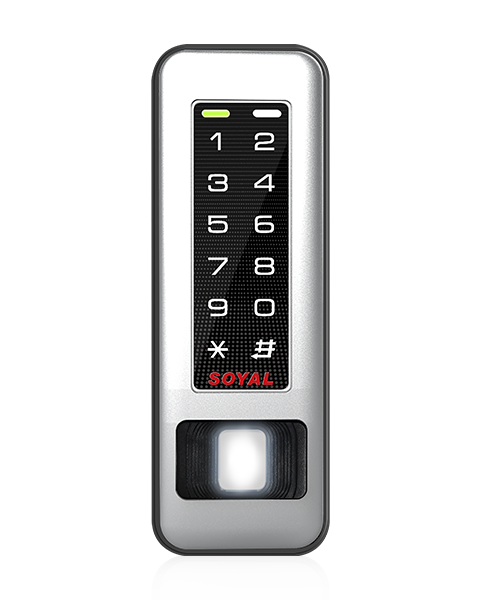
Enterprise Series Controller AR-331-E/EF and AR-725-E with latest firmware upgrade support new addition command 34 & 44
| 34*FFF# ※Default Value | |||||
| Function | Option | Value | Bit | Application | |
| Turn off buzzer function | ※0:Disable | 1:Enable | 001 | 0 | Networking/Stand-Alone |
| Any error trigger alarm (ex: swipe invalid card) | ※0:Disable | 1:Enable | 002 | 1 | Networking/Stand-Alone |
| Reserved | ※0:Disable | 1:Enable | 004 | 2 | Networking/Stand-Alone |
| Turn off 13.56MHz reading function | ※0:Disable | 1:Enable | 008 | 3 | Networking/Stand-Alone |
| Turn off 125kHz reading function | ※0:Disable | 1:Enable | 016 | 4 | Networking/Stand-Alone |
| 44*FFF# ※Default Value | |||||
| Function | Option | Value | Bit | Application | |
| Access valid door relay remain locked | ※0:Disable | 1:Enable | 001 | 0 | Networking/Stand-Alone |
| Master/Slave interlocking (Master open, Slave could not open door) | ※0:Disable | 1:Enable | 002 | 1 | Networking/Stand-Alone |
| Reserved | ※0:Disable | 1:Enable | 004 | 2 | Networking/Stand-Alone |
| Stop card access (access only by PIN or PC remote open door) | ※0:Disable | 1:Enable | 008 | 3 | Networking/Stand-Alone |
| Reserved | ※0:Disable | 1:Enable | 016 | 4 | Networking/Stand-Alone |
Reference:
Weighted Value Manual:
Step 1: Select the ‘Function’ that you need for each command (20*, 24*, 28*)
Step 2: ‘Option’ of function that you need, it is either 0/1 option value.
Step 3: Subtract the ‘Value’ of each Option with ‘Option’ Value.
Product information
.png)
Illuminated Touch Keypad Multi-Function Controller
AR-725-E

Slim Design Multi-Function Controller
AR-331-E