Membership Center
0
EN
Browsing Records
*
*
*
*
*
*
*
*
*
*
*
*
*
*
*
*

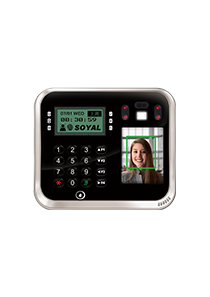
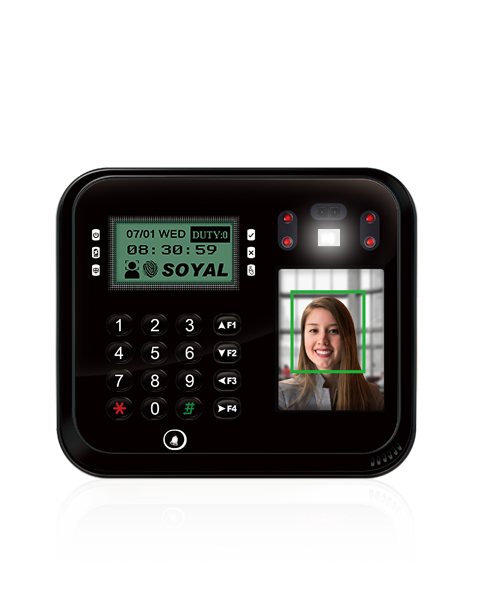
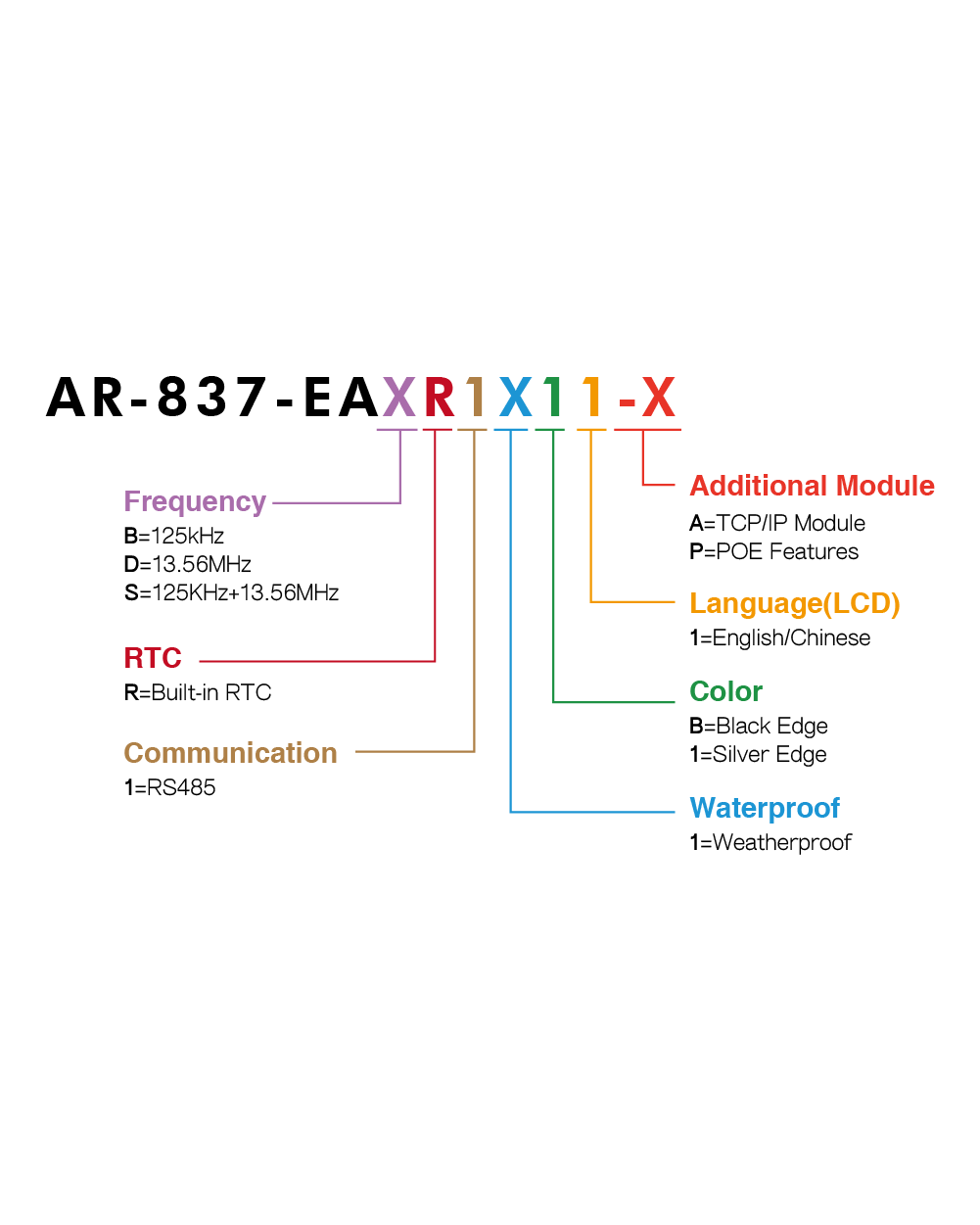
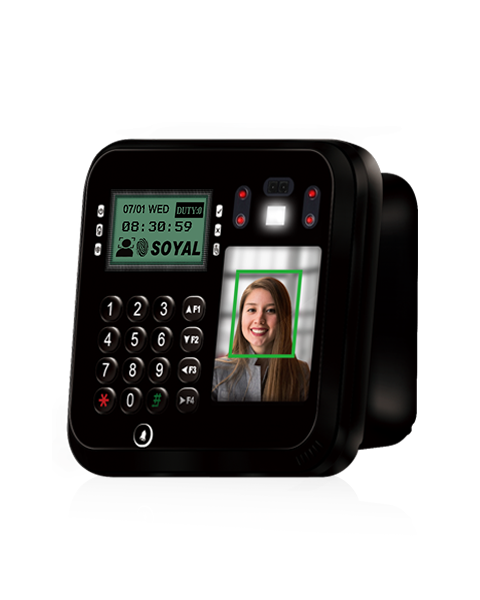
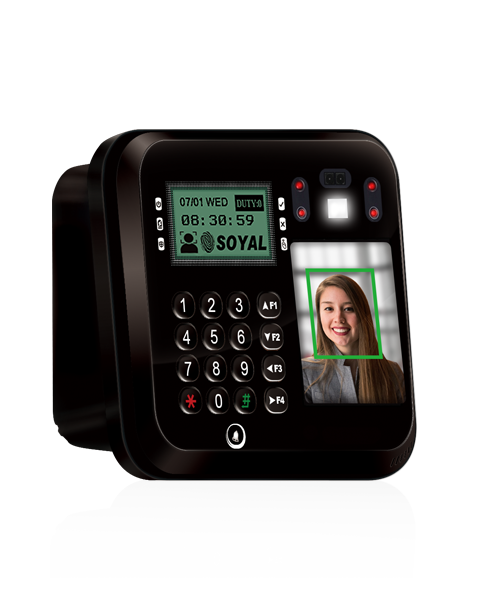
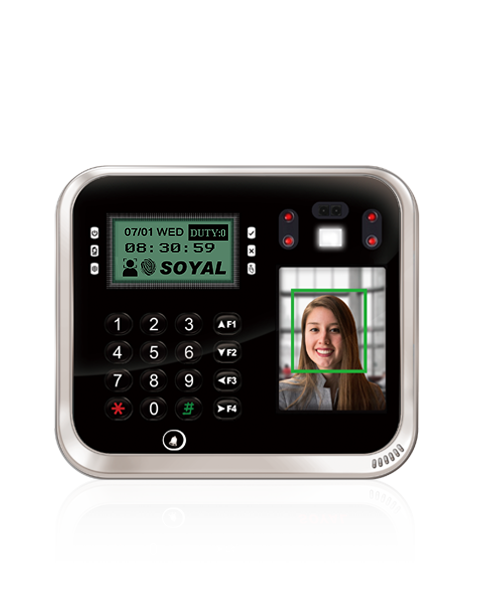
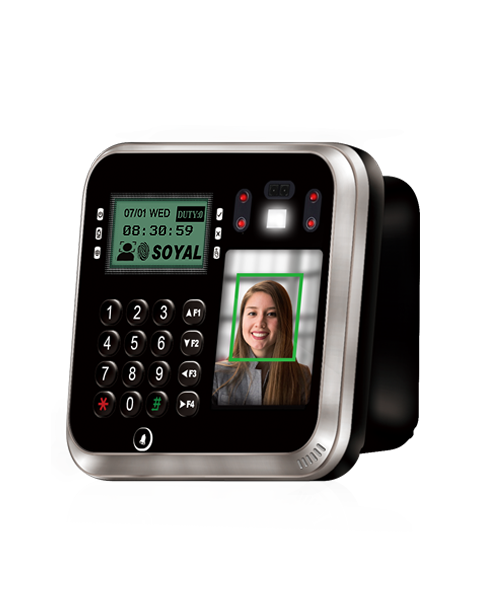
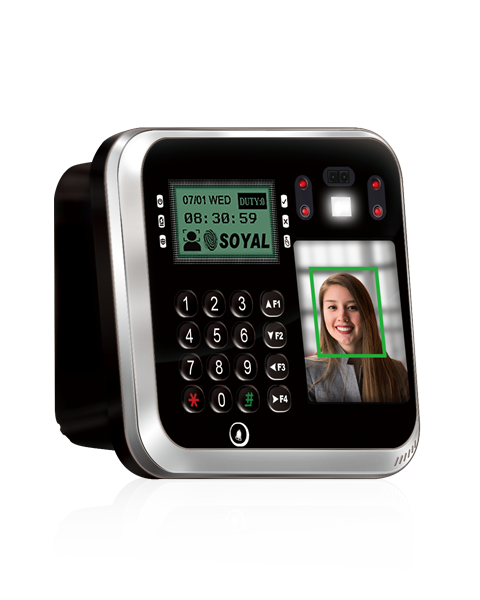
Graphic Display Multi-Function Proximity Controller

AR-837-EA

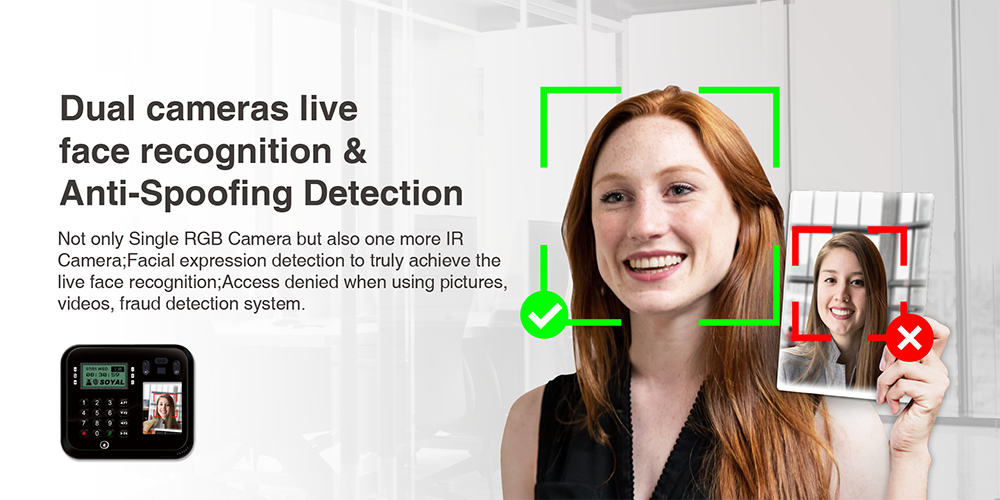
◎Dual cameras live dynamic face expression detection
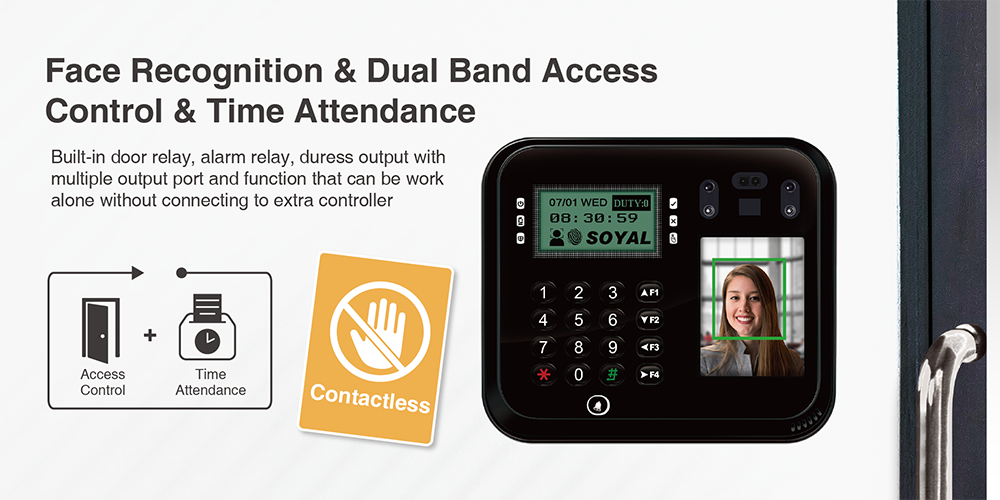
◎Support face registration and face recognition under standalone mode
◎Access denied when using pictures, videos
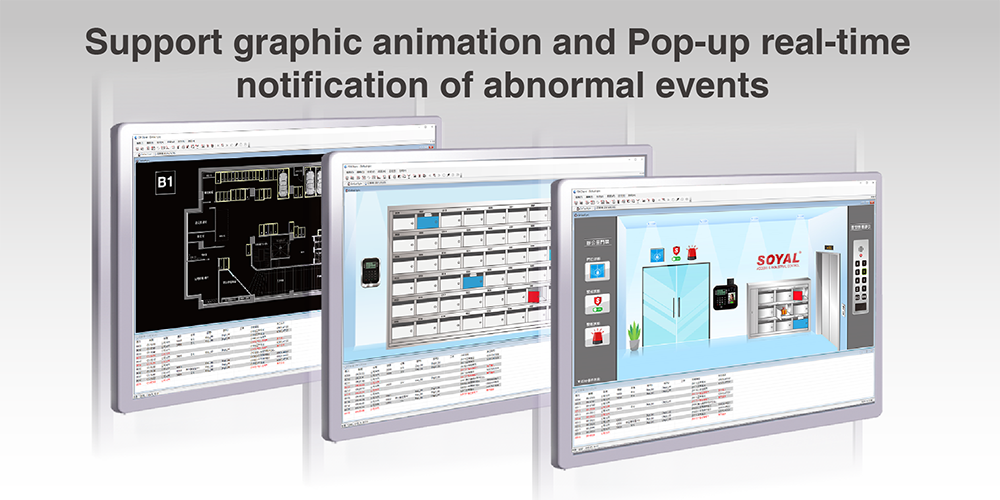
◎Dynamic Graphics & Emergency Event Pop-up
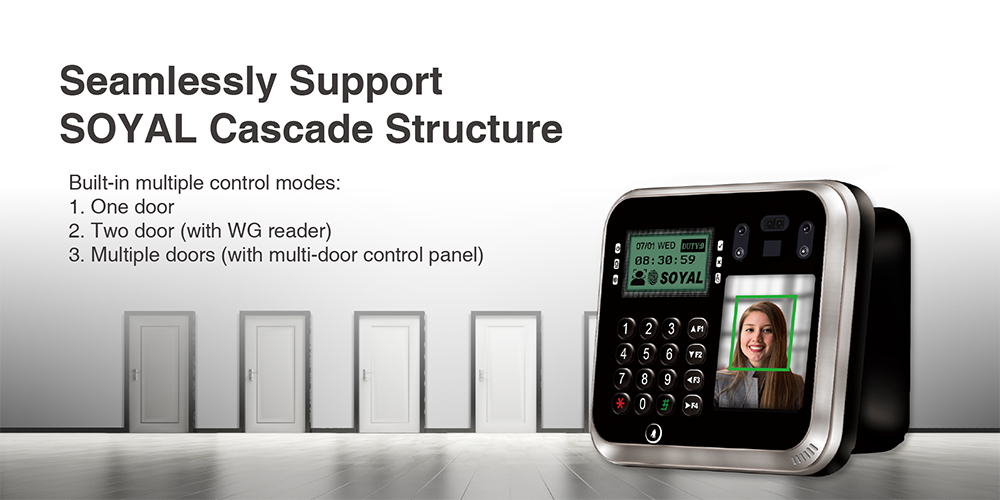
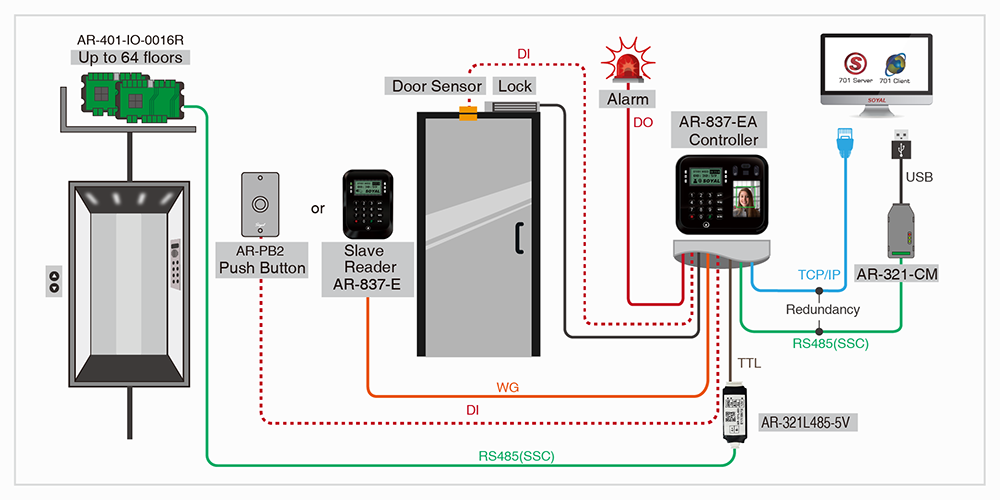
◎Elevator Scheduled Control (Requires specialized firmware)
◎Cloud Access Control with Active Data Upload via TCP

Select Category

Features

360 degree pictures

AR-837-EA Features

• For 701ServerSQL software [LAN] model selection and Keyless controller Parameter Setting Methods, please refer to FAQ
   ► FAQ-701ServerSQL LANbased


For detailed information, please refer to ➤ Instant RFID Integration with PLC for Automated Parking & Machine Control


ACCESS & LIFT CONTROL


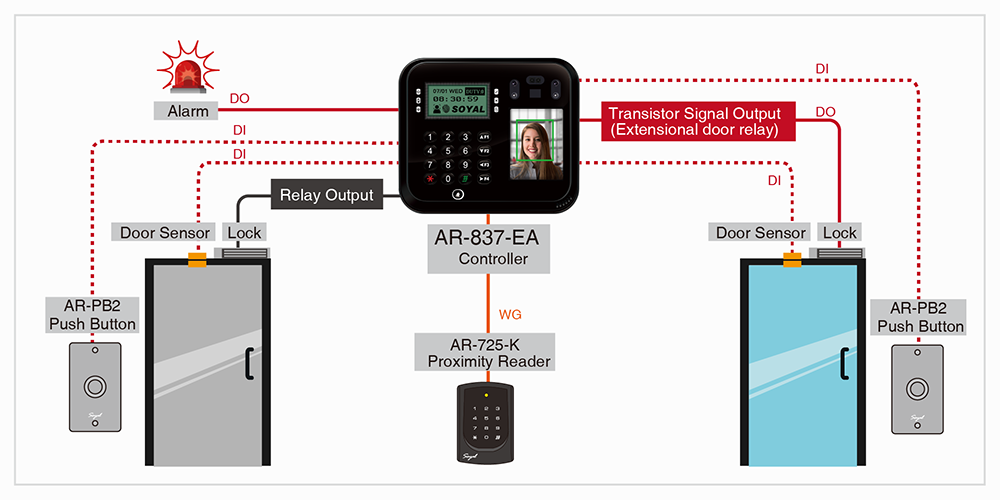
DUAL-DOOR CONTROL ON ENTERPRISE E SERIES CONTROLLER AND WIEGAND READER

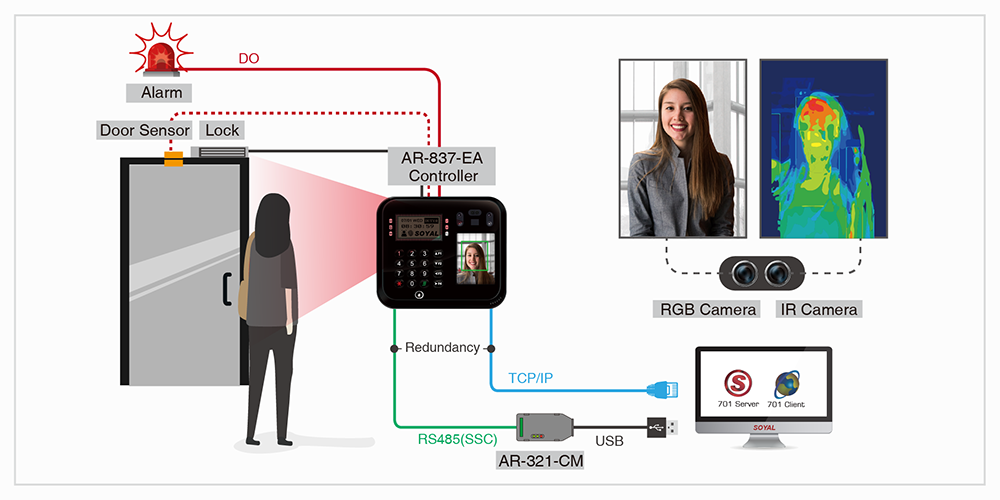
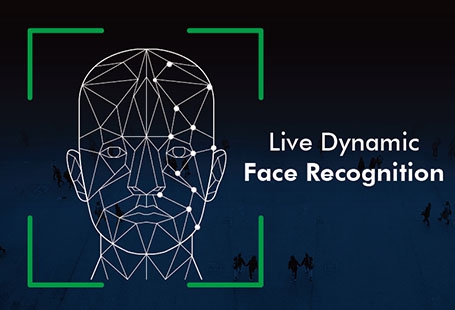
DUAL CAMERAS LIVE FACE RECOGNITION & ANTI-SPOOFING DETECTION

Introduction to the Application of Enterprise Edition (E) Series Controllers with Roller Shutter Doors

Related Resources Enterprise (E) Series Controllers: Roll Shutter Door, Anti-Tamper, and Various Alarm Applications and Wiring Compilation


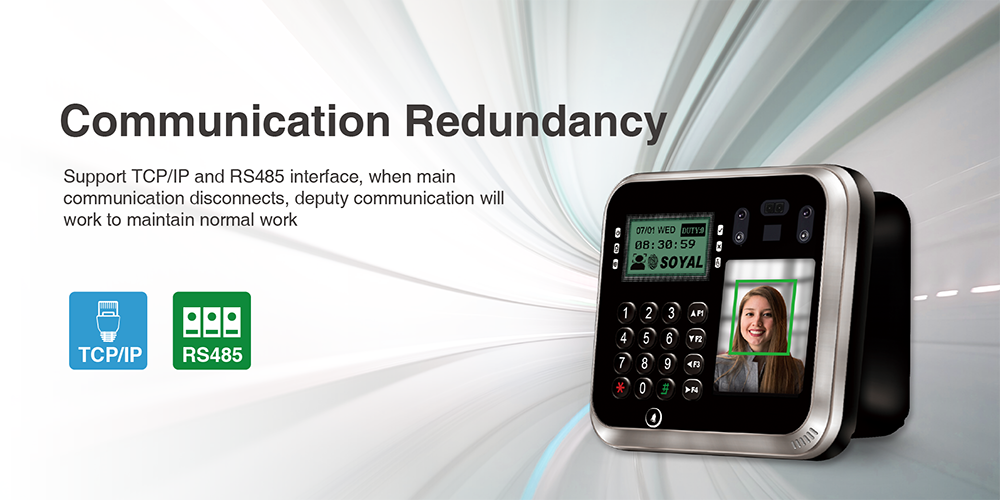
  • RS-485 and TCP/IP communication interface
  • Built-in Watch Dog to prevent the halting, Ingress Protection, 
  • Built-in set of Alarm, Holiday setting, auto-open zone settings,Auto-Open Zone editable, input of door contact, offering the alarm system of both door opening too long and beingforced to open
  • User capacity:16,000 / 32,000 / 65,000
  • Lift Contro: 64 floors/32 floors/16 floors
  • Data reduancy while system disconnected, identify users and
    store event log up to 32000 records
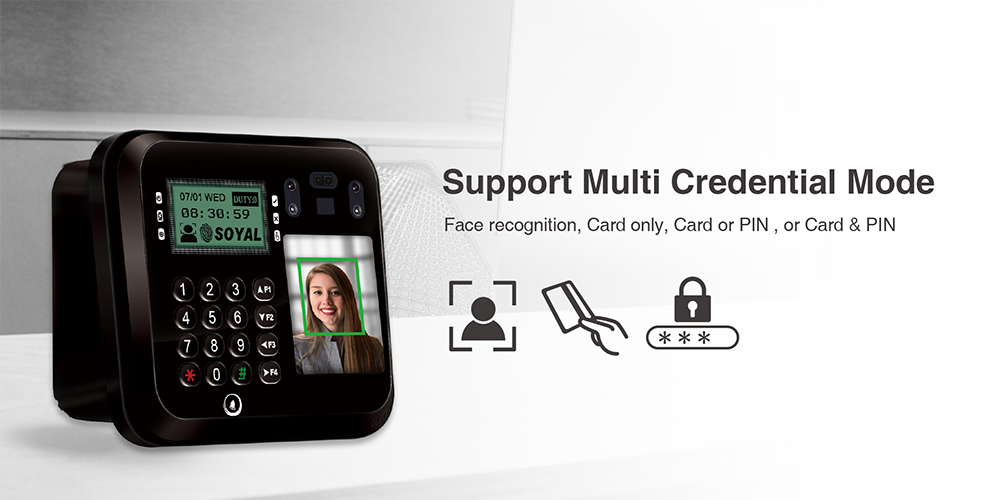
  • Access Mode: Face only, Card only, PIN only, Card and PIN ,Face and PIN , Face and Card and PIN
  • 2 Exit Switch, Door Contact and Door Output to wiegand
  • Built-in Multi-Output: Door Lock / Alarm / Arming / Duress /Security trigger signal
  • 125kHz and 13.56MHz can be used simultaneously two channelsIntelligent to shift for standalone or networking mode
    while system disconnected
  • Support SOYAL SECURITY COMMUNICATION encryption
    (SSC) to enchance security of communication
  • Capacitor Door Bell Button: Built-in independent capacitor doorbell button and doorbell output, which can be used with various types of door bells for visitors.

Specification

Face Recognition Specifications

 
Verification Speed 1:300 < 3.0 Sec
Face Capacity 1000  (recommended for areas with insufficient lighting to limit to under 300 )
Image Screen 2.8 TFT LCD Screen (320*240)
LCD Screen for Programming 128*64 Menu LCD Screen
Camera RGB(640*480) + IR(640*480)
Assistant Exposure Light White LED / IR high brightless LED
FRR (False Rejection Rate) FRR ≤ 0.4%(≤300 users)
FRR ≤ 0.6%(≤500 users)
FRR ≤ 0.8% (501–2000 users)
FRR ≤ 1.0% (≥2001 users)

Frequency / UID Bits / RF Reading Range

 
  S (Dual Band)
Frequency

125kHz:
ISO18000-2: EM4001 and EM4095 compatible


13.56MHz:
ISO14443 /ISO 7816-4 Mifare Ultralight, Classic, Plus / DESFire EV1, EV2 / NFC (card simulation) /ISO15693 / Felica / iCASH Card

UID Bits 24~64 Bit  (Adjustable)
RF Reading Range 2-15 cm

*MIFARE and MIFARE Classic, MIFARE DESFire, MIFARE Plus, MIFARE Ultralight are registered trademarks of NXP B.V.


User Capacity / Floors Number / Event Log

 
Face Capacity 1000  (recommended for areas with insufficient lighting to limit to under 300 )
User Capacity / Floors Number 16,000 Users/64 Floors (Default value);32,000 Users/32 Floors;65,000 Users/16 Floors
Event Log 32,000

DI/DO (Doors Control:2)

 
  Main Controller Wiegand Output Port
DI Egress X1
Door Status X1
Egress X1
Door Status X1
Door Lock Output Door Lock Relay X1 Open Collector X1
Alarm Output Relay X1
Wiegand Port Wiegand Data 0 Intput X1
Wiegand Data 1 Intput X1
Red LED Output X1
Green LED Output X1
Beeper Output X1
Open Collect Output

Arming Output X1
Security Trigger Signal X1
Duress Output X1

Tamper Limit switch (1 Form C/ 1000mA / 30VDC)

Hardware Specifications

 
Power Voltage  12-24VDC
Flash memory Capacity 32Mb
(The user data and event logs can be stored for more than 10 years after power off)
RTC RTC clock can be maintained for 14 days after power off, and the time error per week is within 1 minute (vary depending on the installation environment)
CPU ARM Cortex M3 (32 bits)
Power Consumption  <5W
Indicator LED 6 LED (Green/ Red)
Buzzer 1
TAMPER Limit switch (1 Form C/ 1000mA / 30VDC)
LCD Panel 128*64 (4 line messages, 16 Characters each line)
Housing Material ABS (Fire-proof level: 94V0)
Color Edge: Black / Silver
Keypad lluminated Rubber
Dimension (mm) 128(H)X147(W)X60(D)
Net Weight(g) approx. 340
Ingress Protection IP65
Environment Operating Temperature -20℃ ~ +70℃
Storage Temperature -40℃ to +75℃
Operating Humidity 0%~90% (non-condensing)
Storage Humidity 0%~95% (non-condensing)

RFID Crypto / Communication interface

  S (Dual Band)
RFID Crypto CC Certification: AES Crypto comply with EAL5+
Host RS-485 (9600 bps)
TCP/IP
POE  (Optional By Order)
SSC (Soyal Security Communication)
Serial TTL UART (4800~115200 bps) X1 (half-duplex)
Wiegand Input Wiegand 26~64
Wiegand Output Wiegand Data 0, Data 1 and Arming Output, Duress Output share the same terminal

*SSC (SOYAL SECURITY COMMUNICATION) :To enchance security of communication

Manual / Firmware

File Name New features Frequency Version Updated Date Download
Catalogues
*
837 Series Catalogue
V171130 2021-07-30 Download
*
AR-837-EA Catalogue
V220308 2022-03-08 Download
Manual
*
Software Manual - Enterprise Series HTTP Server
V230608 2023-06-08 Download
*
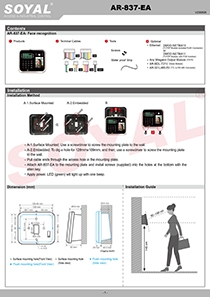
AR-837-EA Manual
V230719 2023-07-19 Download
Software
*
701ServerSQL
(Please obtain software password from installer)
※Ignore any Windows security prompts. This software has passed VirusTotal security inspections and is certified safe to use. 2026-04-24 Download
*
701ServerSQL
(Please obtain software password from installer)
※For migration: Copy original data to C:\ before upgrading. 2026-06-09 Download
*
701ServerSQL
(Please obtain software password from installer)
701ServerSQL Manual 2024-09-11 Download
*
701ServerSQL
(Please obtain software password from installer)
[11V3]Supports Windows 10 and Windows 11
◎Support MariaDB, MSSQL, Unicode
◎Support Windows Server 2019, 2022, and 2025
11V3
2026-05-27
2026-05-20 Download
*
701ServerSQL
(Please obtain software password from installer)
[11V2]Supports Windows 10 and Windows 11
◎Support MariaDB, MSSQL, Unicode
◎Support Windows Server 2019, 2022, and 2025
11V2
2025-02-26
2025-02-26 Download
*
701ServerSQL
(Please obtain software password from installer)
[V902] Supports Windows 7、10、11 V902
2019-12-16
2018-10-31 Download
*
701ServerSQL
(Please obtain software password from installer)
[ V806] Supports Windows XP and Windows 7、10、11 V806
2018-10-31
2018-10-31 Download
*
701ClientSQL
(Please obtain software password from installer)
※Ignore any Windows security prompts. This software has passed VirusTotal security inspections and is certified safe to use. 2026-04-24 Download
*
701ClientSQL
(Please obtain software password from installer)
※For migration: Copy original data to C:\ before upgrading. 2026-06-09 Download
*
701ClientSQL
(Please obtain software password from installer)
701ClientSQL Manual 2024-10-17 Download
*
701ClientSQL
(Please obtain software password from installer)
[11V3]Supports Windows 10 and Windows 11
◎Support MariaDB, MSSQL
◎Compatible with 701ServerSQL 11V2
11V3
2026-06-01
2026-06-01 Download
*
701ClientSQL
(Please obtain software password from installer)
[ Hex32 ]
Supports UID32 HEX mode input
10V5_Hex32
2024-08-12
2024-08-12 Download
*
701ClientSQL
(Please obtain software password from installer)
[ ABA64 ]
Supports ABA64 mode input
10V5_ABA64
2024-08-12
2024-08-12 Download
*
701ClientSQL
(Please obtain software password from installer)
[ Hex6 ]
Supports UID64 HEX mode input
10V5_Hex64
2024-08-12
2024-08-12 Download
*
701ClientSQL
(Please obtain software password from installer)
[ V902 ] Supports Windows 7、10、11 V902
2019-12-13
2019-12-13 Download
*
701ClientSQL
(Please obtain software password from installer)
[ V806 ]Supports Windows XP and Windows 7、10、11 V806
2018-10-31
2018-10-31 Download
Firmware
*
AR-837-EA
How to update the firmware of SOYAL controller and other products? 2022-11-25 Download
*
AR-837-EA
Standard Firmware
Whether wearing face mask or not, the face can be recognized to access; but the security level should be set to [ Level Low] if detecting face mask
◎Supports 100M, 1G, and 10G network switches.
125kHz ,13.56MHz , Dual Band v0406
2026-02-10
2026-02-10 Download
*
AR-837-EA
Firmware Updating Setting Step 2022-11-25 Download
*
AR-837-EA
Customized Firmware
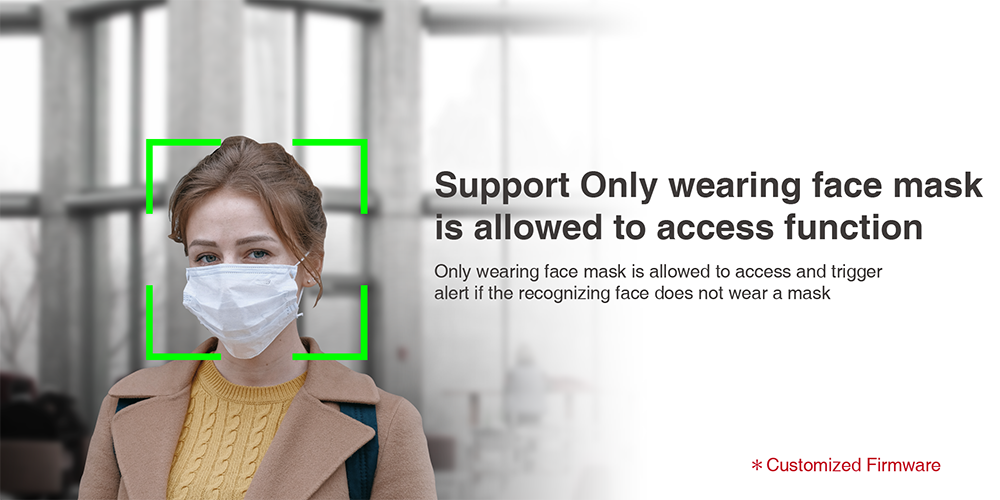
Only wearing face mask is allowed to access and trigger alert if the recognizing face does not wear a mask
125kHz ,13.56MHz , Dual Band V0404
2021-06-17
2021-06-17 Download
Catalogues
*
837 Series Catalogue
V171130
2021-07-30
*
AR-837-EA Catalogue
V220308
2022-03-08
Manual
*
Software Manual - Enterprise Series HTTP Server
V230608
2023-06-08
*
AR-837-EA Manual
V230719
2023-07-19
Software
*
701ServerSQL
(Please obtain software password from installer)
※Ignore any Windows security prompts. This software has passed VirusTotal security inspections and is certified safe to use.
2026-04-24
*
701ServerSQL
(Please obtain software password from installer)
※For migration: Copy original data to C:\ before upgrading.
2026-06-09
*
701ServerSQL
(Please obtain software password from installer)
701ServerSQL Manual
2024-09-11
*
701ServerSQL
(Please obtain software password from installer)
11V3
2026-05-27
[11V3]Supports Windows 10 and Windows 11
◎Support MariaDB, MSSQL, Unicode
◎Support Windows Server 2019, 2022, and 2025
2026-05-20
*
701ServerSQL
(Please obtain software password from installer)
11V2
2025-02-26
[11V2]Supports Windows 10 and Windows 11
◎Support MariaDB, MSSQL, Unicode
◎Support Windows Server 2019, 2022, and 2025
2025-02-26
*
701ServerSQL
(Please obtain software password from installer)
V902
2019-12-16
[V902] Supports Windows 7、10、11
2018-10-31
*
701ServerSQL
(Please obtain software password from installer)
V806
2018-10-31
[ V806] Supports Windows XP and Windows 7、10、11
2018-10-31
*
701ClientSQL
(Please obtain software password from installer)
※Ignore any Windows security prompts. This software has passed VirusTotal security inspections and is certified safe to use.
2026-04-24
*
701ClientSQL
(Please obtain software password from installer)
※For migration: Copy original data to C:\ before upgrading.
2026-06-09
*
701ClientSQL
(Please obtain software password from installer)
701ClientSQL Manual
2024-10-17
*
701ClientSQL
(Please obtain software password from installer)
11V3
2026-06-01
[11V3]Supports Windows 10 and Windows 11
◎Support MariaDB, MSSQL
◎Compatible with 701ServerSQL 11V2
2026-06-01
*
701ClientSQL
(Please obtain software password from installer)
10V5_Hex32
2024-08-12
[ Hex32 ]
Supports UID32 HEX mode input
2024-08-12
*
701ClientSQL
(Please obtain software password from installer)
10V5_ABA64
2024-08-12
[ ABA64 ]
Supports ABA64 mode input
2024-08-12
*
701ClientSQL
(Please obtain software password from installer)
10V5_Hex64
2024-08-12
[ Hex6 ]
Supports UID64 HEX mode input
2024-08-12
*
701ClientSQL
(Please obtain software password from installer)
V902
2019-12-13
[ V902 ] Supports Windows 7、10、11
2019-12-13
*
701ClientSQL
(Please obtain software password from installer)
V806
2018-10-31
[ V806 ]Supports Windows XP and Windows 7、10、11
2018-10-31
Firmware
*
AR-837-EA
How to update the firmware of SOYAL controller and other products?
2022-11-25
*
AR-837-EA
v0406
2026-02-10
125kHz ,13.56MHz , Dual Band
Standard Firmware
Whether wearing face mask or not, the face can be recognized to access; but the security level should be set to [ Level Low] if detecting face mask
◎Supports 100M, 1G, and 10G network switches.
2026-02-10
*
AR-837-EA
Firmware Updating Setting Step
2022-11-25
*
AR-837-EA
V0404
2021-06-17
125kHz ,13.56MHz , Dual Band
Customized Firmware
Only wearing face mask is allowed to access and trigger alert if the recognizing face does not wear a mask
2021-06-17

FAQ / Academy

Hardware
LCD Screen Logo Modification of Enterprise Series (E Series) Controller.
Software
Enabling free access time zone for specific floors via Lift Control software
Hardware
Why it takes a long time of AR-837-E’s activation while using RS485 network?
Hardware
How to solve the issue that LCD screen font of E series controller has become garbled?
Hardware
The Installing Instruction of the new version TCP/IP & Mifare Module on AR-725-E / 837-E&EF
Hardware
How to view event record in E-series LCD controllers offline without computer?
Software
How to export access records with text format by 701ClientSQL? Time attendance function highlights.
*

智慧城市&智慧建築

*

Smart Telecare-Communication integration & SCADA

*

Smart City/Smart Traffic

*

Live Dynamic Face Recognition & License Plate Recognition via IP Camera & Seamiess Event lmage Capature Integration

Category
File Name
View
News
Multifunction Output Port on Enterprise E Series Controller
News
High in Demand: SOYAL Face Recognition AR-837-EA
News
Upgrade and Compatibilty of TCP/ IP Board
News
Selectable Single or Dual Door Control of Enterprise E Controller
News
Guide to SOYAL Security Communication (SSC)
News
AI Devices with Access Control Solutions

How to Order

 
Since established in 1993, SOYAL Technology has been adopting the distribution policy of sales and after-sales service. Due to all SOYAL products are produced with high industrial-grade components, the users can use our products for more than 10 years, in which indicates SOYAL provides a reliable security system with trusted and long-term companionship.
In order to ensure long-term and high-quality after-sale services and maintenance, it is very important to carefully select distributors who can provide good installation and service.
We would advise the customers to take after-sales service as the main consideration before purchasing to avoid any doubts about installation and after-sales service.
In addition to physical distributors, SOYAL also made a variety of online teaching videos and Q&A to help customers quickly find answers as like 24 / 7 services. You are welcome to subscribe our training channel.

How to Order

After Sales Service

SOYAL offer Standard Warranty and SOYAL Extended Warranty Program that can be listed below:

1. Standard Warranty is 12 months warranty against manufacturing defects is guaranteed since the date of shipment under the circumstances of non-natural disaster, damage, non- deliberate damage by people.

2. Extended Warranty Program is extended program of Standard Warranty to prolong the Warranty period in which divided into two different plans.

Plan 1. Directly Add Purchase

Purchase Extended Warranty by the time product is purchased.

Plan 2. Purchase Before Warranty Expires

Purchase the Extended Warranty before the original 12 months warranty expires. If you did not purchase the Extended Warranty when you purchase the product, you can enjoy an opportunity to purchase an extended warranty before the 12 months warranty expires.


Please refer to the following price list for the additional purchase fee required for the Extended Warranty of the two plans:
 

Extended Warranty Price List

Extendend Warranty Plan 1. Directly Add Purchase Plan 2. Purchase Before Warranty Expires
Extended to 2  years warranty 10% of the Unit Price 15% of the Unit Price
Extended to 3  years warranty 20% of the Unit Price 25% of the Unit Price
Extended to 4  years warranty 35% of the Unit Price 40% of the Unit Price
Extended to 5  years warranty 50% of the Unit Price 55% of the Unit Price
Extended to 6  years warranty 65% of the Unit Price 70% of the Unit Price
Extended to 7  years warranty 80% of the Unit Price 85% of the Unit Price
Extended to 8  years warranty 95% of the Unit Price 105% of the Unit Price
Extended to 9  years warranty 115% of the Unit Price 125% of the Unit Price
Extended to 10  years warranty 135% of the Unit Price 145% of the Unit Price

Packaging

Product Package ReferenceDimension(cm)

*
*

Inner Box

*

Outer Carton

Accessories

Accessories Type