I/O Modules Purchasing Guideline
1. Industry Series Products Introduction
2. Industry Series Specification Chart
3. All Function Supported Model No. Chart
4. Industry Series Product Application Introduction
I/O Modules Purchasing Guideline
1. Industry Series Products Introduction
2. Industry Series Specification Chart
3. All Function Supported Model No. Chart
4. Industry Series Product Application Introduction
content
(Tick to jump directly to the content)
1. Industry Series Products Introduction
2. Industry Series Specification Chart
3. All Function Supported Model No. Chart
4. Industry Series Product Application Introduction
1. Industry Series Products Introduction
SOYAL Industry Series provides a range of networking ability and I/O functions for device monitoring and remotely control. Besides supporting SOYAL protocol, all of Industry Series support Modbus protocol that commonly available in connecting to electronic devices through integrated solution with HMI, SCADA, PLC, and other monitoring software systems.
.png)
SOYAL Industry Series provide unison solution for access control devices and I/O devices exists on the same system and platform, achieving total solution for security and efficiency in Smart Manufacturing and Building Management System sectors.
.png)
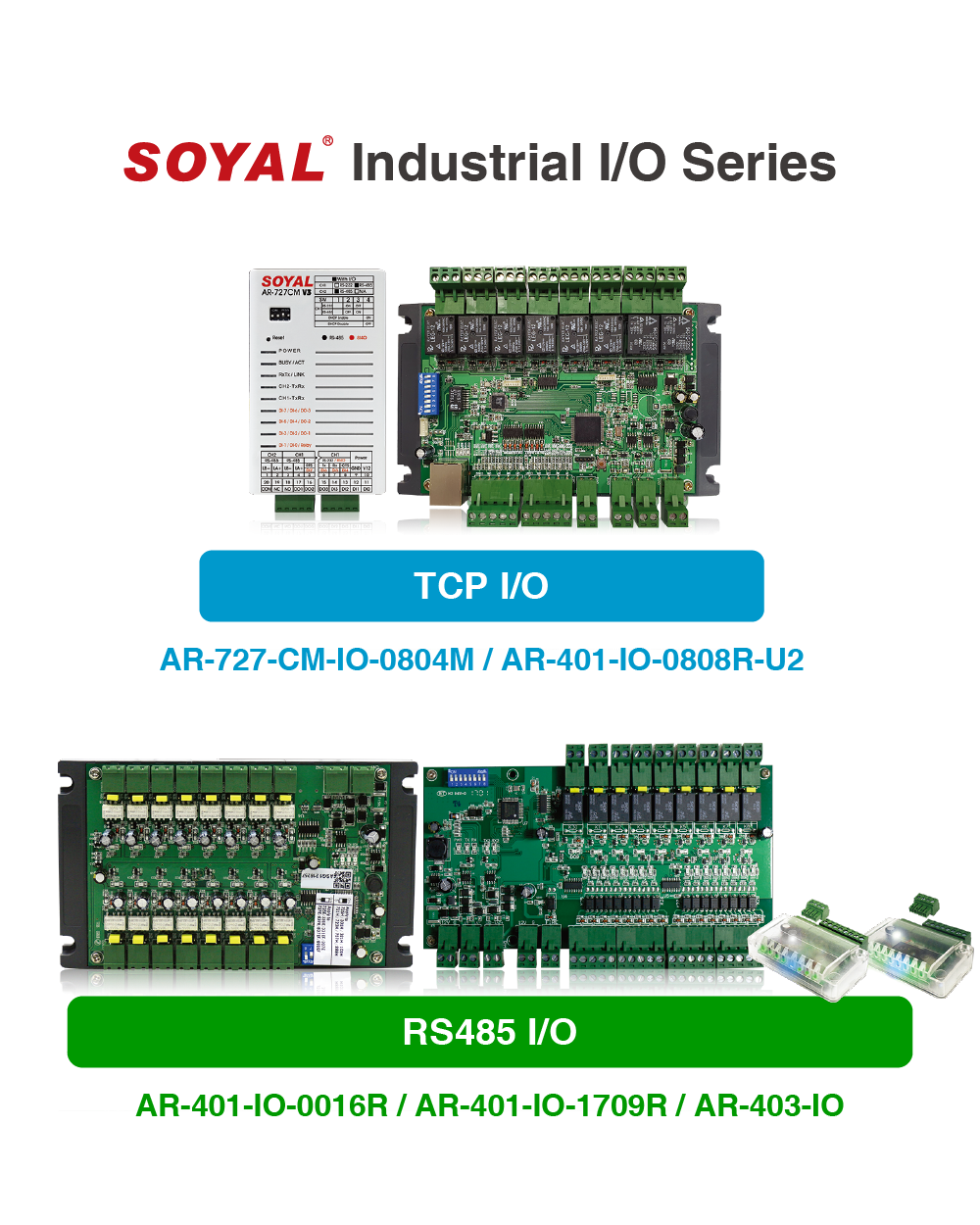
In general, SOYAL Industry Series is classified into two main categories RS485 I/O and TCP I/O. RS485 works with SOYAL and Modbus RTU interface, while TCP/IO works with SOYAL, Modbus TCP, Modbus Gateway (TCP-RTU).
.png)
Through SOYAL protocol and working under SOYAL software 701ServerSQL and 701ClientSQL built-in Graphic Animation Control feature that allows user to create their own Site Plan and correspondent Animated Symbol status, perfectly combines SOYAL Access Controller and I/O Modules to monitor and remote control in a graphical manner, allowing operator to intuitively manage and control the status on the site in real time, make corresponding feedbacks and actions. This solution is widely used by Building Management System and Industrial Control.
.png)
2. Industry Series Specification Chart
There are three main classifications of SOYAL I/O Module Series, 727 Series, 401 Series, and 403 Series.
| Type | TCP I/O | RS485 I/O | ||||||
| Protocol | Ethernet (Modbus TCP) | RS485 (Modbus RTU) | ||||||
| Series | 727 SERIES | 401 SERIES | 403 Series | |||||
| Model no. | AR-727-CM-IO -0804M | AR-401-IO -0808R-U2 | AR-401-IO -0016R | AR-401-IO -1709R | AR-403-IO -0202M-IR | AR-403-IO-0404M | ||
| Serial | Channel 1: | Channel 1: Channel 2: | — | — | — | — | ||
| DI | Channel | 8 | 8 | — | 17 | 2 | 4 | |
| Sink/Source | Sink | Sink/Source by Jumper | — | Sink/Source by Jumper | Sink | Sink | ||
| DO | Channel | 3 | — | — | — | 2 | 4 | |
| Type | MosFET | — | — | — | MosFET | MosFET | ||
| Relay | Channel | 1 | 8 | 16 | 9 | — | — | |
| Type | Form C Relay | Form C Relay | Form C Relay | Form C Relay | — | — | ||
| Max. Load Current | 1A @30VDC | 5A @250VAC | 1A @30VDC | 3A @125 VAC | — | — | ||
| Infrared | — | — | — | — | YES | — | ||
| PoE Option | — | YES | — | — | — | — | ||
| Protection | Input | — | 5kV | — | 5kV | — | — | |
| RS485 PTC & Surge* | YES | YES | YES | YES | YES | YES | ||
| Power PTC & Surge* | YES | YES | YES | YES | YES | YES | ||
*Surge Suppression: 400W peak power dissipation. Clamping time < 1 picosecond (theoretical), bi-directional avalanche breakdown device.
3. All Function Supported Model No. Chart
| Model No. | TCP I/O | RS485 I/O | ||||
| AR-727-CM-IO -0804M | AR-401-IO -0808R-U2 | AR-401-IO -0016R | AR-401-IO -1709R | AR-403-IO -0202M-IR | AR-403-IO -0404M | |
| 1. Fire Alarm Auto Release Door Open | ||||||
| 1.1 Fire Alarm Releases All or Designated Doors via RS485 Connection | ✔️ | ✔️ | — | — | — | — |
| 1.2 Fire Alarm Releases All or Designated Doors via UDP Broadcast | ✔️ | ✔️ | — | — | — | — |
| 1.3 Fire Alarm Release Elevator Door Open | ✔️ | ✔️ | — | — | — | — |
| 2. Direct Input-to-Output Signal Communication | ||||||
| 2.1 Local DI Trigger Local DO (Level Trigger) | ✔️ | ✔️ | — | — | — | — |
| 2.2 Local DI Trigger Local DO (Edge Trigger) | ✔️ | ✔️ | — | — | — | — |
| 2.3 Local DI Trigger Remote DO (Level Trigger) | ✔️ | ✔️ | — | — | — | — |
| 3. Protocol and Interface Converter | ||||||
| 3.1 TCP/IP to Wiegand | ✔️ | — | — | — | — | — |
| 3.2 TCP/IP to RS232/RS485* | ✔️ | ✔️ | — | — | — | — |
| 3.3 Modbus Gateway (Modbus RTU over TCP) | ✔️ | ✔️ | — | — | — | — |
| 4. Push Alert Notification | ✔️ | ✔️ | — | — | — | — |
| 5. Remote Control Unit over 256 Input and 26 Output | — | ✔️ | — | — | — | — |
| 6. Direct Door Lock Control Over TCP | ✔️ | — | — | — | — | — |
| 7. EtherNet/IP Client/Server Communication Module | ✔️ | ✔️ | — | — | — | — |
| 8. RS485/Modbus RTU Based Data Acquisition | — | — | ✔️ | ✔️ | ✔️ | ✔️ |
| 9. Multi-Door Interlocking | — | — | ✔️ | — | — | — |
| 10. Lift Access Control System | — | — | — | ✔️ | — | — |
| 11. Auto Scheduled Control | — | — | — | ✔️ | — | — |
| 12. Permission Tiers to Operate Machine | — | — | — | ✔️ | — | — |
| 13. Access Control Interlinkage Devices | — | — | — | ✔️ | — | ✔️ |
| 14. Smart Mailbox/Locker Management | ||||||
| 14.1 Simple and Economical Mailbox Control Solution | — | — | — | ✔️ | — | — |
| 14.2 Smart Mailbox with Status Monitoring and Abnormal Event Notification | — | — | — | — | ✔️ | — |
| 14.3 Shared Storage by randomly choosing free locker (AR-101-H) | — | — | — | — | — | — |
| 15. Pulse-Width Modulation (PWM) | — | — | — | — | ✔️ | ✔️ |
| 16. Single Input Trigger Multiple Output Mode | ||||||
| 16.1 Interval Operation, Falling Edge Mode | — | — | — | — | — | ✔️ |
| 16.2 Trigger-at-Release Timer, Rising Edge Mode | — | — | — | — | — | ✔️ |
| 16.3 Toggle Mode | — | — | — | — | — | ✔️ |
| 16.4 Undistorted Output Delay | — | — | — | — | — | ✔️ |
| 17. Front and Rear Detection (FF/RF Falling and FF/RF Rising) | — | — | — | — | — | ✔️ |
4. Industry Series Product Application Introduction
Each of I/O Series has distinguished specification and suitable application.
Below is some of the application to date and the supported model no. and compatible firmware to achieved the application is listed on the table.
(Tick to jump directly to the content)
Fire Alarm Auto Release Door Open is an integrated solution between SOYAL Access Controller and I/O Modules series. Normally, access controller is installed to avoid unauthorized user entering authorized area. But, during fire alarm event, it is required to automatically release door lock function to enable quick evacuation for all people inside the building, but at the same time protect the safety of the building. It can be set to release all or designated door only, that way area such as storage, treasury room, and machine room remain safely locked.
Related Link ►Introduction of 4 methods to configure the access control system to release all door locks in fire alarm event
Followed by 701ClientSQL auto send email function ►Fire Event notification, Personnel or management could directly be notified of the fire alarm event.
.png)
There are two releasing method RS485 Connection and UDP Broadcast that depend on your wiring and requirement.
4-1-1 — Fire Alarm Releases All or Designated Doors via RS485 Connection
Through on-board DI0 input that can be connected to fire alarm detector; when the fire alarm is triggered, all or designated controllers connected to RS485 CH1/CH2 port can be released door locks for escape.
This connection is suitable for local area coverage or a single building installation.
.png)
• Supported Model No. Chart
| Model No. | TCP I/O | RS485 I/O | ||||
| AR-727-CM-IO -0804M | AR-401-IO -0808R-U2 | AR-401-IO -0016R | AR-401-IO -1709R | AR-403-IO -0202M-IR | AR-403-IO -0404M | |
| Support this Application | ✔️ | ✔️ | — | — | — | — |
| Firmware | Standard Firmware | Standard Firmware (APX727i3___ V0503 8i8o 220425.STM and after) | — | — | — | — |
| Remark | Access Controller selection from Home (H Series) and Enterprise (E Series) Controller. Model No. Selection ►Here | |||||
Reference: ► Configuration Manual
4-1-2 — Fire Alarm Releases All or Designated Doors via UDP Broadcast
Built-in DI0 input that can be connected to fire alarm detector; all controllers connected under the same network can be released door locks via UDP broadcast method; the network controller can also be set to accept any or only one signal of network server to release door lock.
This connection method is suitable for cross area and eliminate the requirement of long distance wiring.
.png)
• Supported Model No. Chart
| Model No. | TCP I/O | RS485 I/O | ||||
| AR-727-CM-IO -0804M | AR-401-IO -0808R-U2 | AR-401-IO-0016R | AR-401-IO-1709R | AR-403-IO-0202M-IR | AR-403-IO-0404M | |
| Support this Application | ✔️ | ✔️ | — | — | — | — |
| Firmware | Support Fire Alarm Event UDP Mode | Support Fire Alarm Event UDP Mode | — | — | — | — |
| Remark | Access Controller selection from Home (H Series) and Enterprise (E Series) Controller. Model No. Selection ►Here | |||||
Reference: ► Configuration Manual | ► Tutorial Video
4-1-3 — Fire Alarm Release Elevator Door Open
Fire alarm interlinkage function also available for access controller installed inside lift car under a note that the controller must be updated to special firmware. In normal situation, when users swipe RFID tags, the controller’s relay doesn’t act. It only acts once receiving fire alarm signal. Relay is controlled by fire alarm signal instead of valid tags.
.png)
• Supported Model No. Chart
| Model No. | TCP I/O | RS485 I/O | ||||
| AR-727-CM-IO-0804M | AR-401-IO -0808R-U2 | AR-401-IO-0016R | AR-401-IO-1709R | AR-403-IO -0202M-IR | AR-403-IO -0404M | |
| Support this Application | ✔️ | — | — | ✔️ | — | — |
| Firmware | Support Fire Alarm Event UDP Mode | — | — | Standard Firmware (401RO16_V0208_ | — | — |
| Remark | • This function is available at the for model no.:
| |||||
Reference: ► Two solutions to automatically unlock lift door by fire alarm
Save time and wiring cost over long distance wiring in remote automation through Direct Input-to-Output Signal Communication. When Local DI status change from on/off, the corresponding Remote DO status on/off will be changed at the same time. It could also apply to local wiring. For example, if I/O Modules’ DI is connecting to a temperature sensor sensing current temperature is too high, the correspondent DO connecting to a ventilation system will automatically turned on.
Direct Input-to-Output Signal Communication is divided into One Way Communication (Local DI Trigger Local DO) and Two Way Communication (Local DI Trigger Remote DO). One Way Communication is when Local DI Trigger Local DO within the same unit of I/O Module.
.png)
Meanwhile Two Way Communication is when Local DI (Device A) triggers Remote DO (Device B).
.png)
4-2-1 — Local DI Trigger Local DO (Level Type)
Level trigger is a condition where the output changes during either the high voltage or the low voltage period of the input. In other words, the change in output status is followed by the change in input status. Level Trigger that applied is Negative Level triggering (flip flop at Low Level)
• Supported Model No. Chart
| Model No. | TCP I/O | RS485 I/O | ||||
| AR-727-CM-IO-0804M | AR-401-IO -0808R-U2 | AR-401-IO-0016R | AR-401-IO-1709R | AR-403-IO -0202M-IR | AR-403-IO -0404M | |
| Support this Application | ✔️ | ✔️ | — | — | — | — |
| Firmware | (apply the same firmware of | APX727i3___V0503 8i8o 220525 DIx_DOx_LEVEL.STM | — | — | — | — |
4-2-2 — Local DI Trigger Local DO (Edge Type)
Edge Trigger is a condition when the output is triggered when the voltage of the following input is spotted rising or falling. Edge Trigger that applied is Negative-Edge trigger and remains trigger (latch) until signal transition from high to low is detected.
This application is suitable for high emergency alert such as emergency button to keep alarming event until operator or personnel in charge confirming the alarm.
• Supported Model No. Chart
| Model No. | TCP I/O | RS485 I/O | ||||
| AR-727-CM-IO-0804M | AR-401-IO -0808R-U2 | AR-401-IO-0016R | AR-401-IO-1709R | AR-403-IO -0202M-IR | AR-403-IO -0404M | |
| Support this Application | ✔️ | ✔️ | — | — | — | — |
| Firmware | (apply the same firmware of | APX727i3___V0503 8i8o 220525 DIx_DOx_EDGE.STM | — | — | — | — |
4-2-3 — Local DI Trigger Remote DO (Edge Type)
The same condition mentioned on Point 2.1, Level Trigger is a condition where the change in output status is followed by the change in input status. Level Trigger that applied is Negative Level triggering (flip flop at Low Level) but in this case it is trigger Remote DO.
Below is the example of the Local DI Trigger Remote DO in Level Trigger
.png)
• Supported Model No. Chart
| Model No. | TCP I/O | RS485 I/O | ||||
| AR-727-CM-IO-0804M | AR-401-IO-0808R-U2 | AR-401-IO-0016R | AR-401-IO-1709R | AR-403-IO-0202M-IR | AR-403-IO-0404M | |
| Support this Application | ✔️ | ✔️ | — | — | — | — |
| Firmware | (apply the same firmware of | When Local DI status change from on/off, the corresponding Remote DO status on/off will be changed at the same time (APX727i3___V0503 8i8o 220523 DIx_DOx_LEVEL_REMOTE.STM) | — | — | — | — |
SOYAL I/O Modules also serve as Protocol and Interface Converter to solve both protocol and interface compatibility issue and to provide host PC software direct access to serial devices from anywhere on the network in an instant.
4-3-1 — TCP/IP to Wiegand
Nowadays, access control system has widely integrated with IP-based AI devices such as IP Camera, license plate recognition, QRCode, and face recognition. When an IP-based AI device built-in Wiegand interface, it can be directly wired to access controller without the requirement of converter. In other case of IP-based AI devices do not built-in Wiegand interface, SOYAL I/O Modules supports TCP/IP to Wiegand 26-80bits conversion. The conversion is allocated DO1 and DO2 into WG0 and WG1 then finally connect to access controller to assess either access is valid or invalid to release door lock or remain locked..
.png)
• Supported Model No. Chart
| Model No. | TCP I/O | RS485 I/O | ||||
| AR-727-CM-IO-0804M | AR-401-IO-0808R-U2 | AR-401-IO-0016R | AR-401-IO-1709R | AR-403-IO-0202M-IR | AR-403-IO-0404M | |
| Support this Application | ✔️ | — | — | — | — | — |
| Firmware | Standard Firmware | — | — | — | — | — |
4-3-2 — TCP/IP to RS232/RS485
SOYAL TCP I/O not only built-in I/O, it also serve as transparent data transmission of TCP/IP to RS232/RS485 through Channel 1 and Channel 2. It is easy to set-up through ► HTTP Server web-based configuration setting.
• Supported Model No. Chart
| Model No. | TCP I/O | RS485 I/O | ||||
| AR-727-CM-IO-0804M | AR-401-IO-0808R-U2 | AR-401-IO-0016R | AR-401-IO-1709R | AR-403-IO-0202M-IR | AR-403-IO-0404M | |
| Support this Application | ✔️ | ✔️ | — | — | — | — |
| Firmware | Standard Firmware | Standard Firmware (APX727i3___V0503 8i8o 220425.STM and after) | — | — | — | — |
| Remark | RS232 is only available for this model no. (by order) | — | — | — | — | — |
4-3-3 — Modbus Gateway (Modbus RTU over TCP)
Modbus Gateway Module is required to quickly integrate huge number of Modbus RTU devices interface to computer hosts running in Modbus TCP on an Ethernet network.
.png)
Example of Devices in Modbus RTU that has been using SOYAL Modbus Gateway (AR-727-CM-IO-0804M/ AR-401-IO-0808R-U2) to link into SCADA/BMS Software System.
.png)
• Supported Model No. Chart
| Model No. | TCP I/O | RS485 I/O | ||||
| AR-727-CM-IO-0804M | AR-401-IO-0808R-U2 | AR-401-IO-0016R | AR-401-IO-1709R | AR-403-IO-0202M-IR | AR-403-IO-0404M | |
| Support this Application | ✔️ | ✔️ | — | — | — | — |
| Firmware | Standard Firmware | Standard Firmware (APX727i3___V0503 8i8o 220425.STM and after) | — | — | — | — |
Through Push Alert Notification function, every time there is a change on state and event, SOYAL I/O Module will automatically send the message to third party system. Push Alert Notification connection is through TCP/IP to only send real-time status of change state or event and higher accuracy, which is very important during emergency event such as public restroom and elderly remote home monitoring system.
Integrated with Smart Home mobile APP or medical platform, every time motion is detected such as pressing emergency button asking for help, going out or going home, cooking, and getting up from sleep. The monitoring status will be automatically updated and notified medical personnel achieve smart remote home care solution.
• Supported Model No. Chart
| Model No. | TCP I/O | RS485 I/O | ||||
| AR-727-CM-IO-0804M | AR-401-IO-0808R-U2 | AR-401-IO-0016R | AR-401-IO-1709R | AR-403-IO-0202M-IR | AR-403-IO-0404M | |
| Support this Application | ✔️ | ✔️ | — | — | — | — |
| Firmware | Active Push Communication DI Event via TCP Or | Active Push Communication DI Event via TCP Or | — | — | — | — |
Example of application:
1. Restroom Emergency Alert ► Complete detail and download
2. Remote Home Monitoring ► Complete detail and download
Remote Control Unit (RCU) is important for huge scale system as the RCU function will allow I/O Modules to works Union Control Board over expandable 256 DI and 256 DO. Moreover the application is suitable with combination of Polling-Free Auto Update Monitoring Status in which real-time status need to be exact.
.png)
Example of application in Building Monitoring
.png)
• Supported Model No. Chart
| Model No. | TCP I/O | RS485 I/O | ||||
| AR-727-CM-IO-0804M | AR-401-IO-0808R-U2 | AR-401-IO-0016R | AR-401-IO-1709R | AR-403-IO-0202M-IR | AR-403-IO-0404M | |
| Support this Application | ✔️ | ✔️ | — | — | — | — |
| Firmware | Expandable Daisy-Chained Ethernet I/O over 256 DI and 256 DO includes Active Push Communication DI Event via TCP function | Expandable Daisy-Chained Ethernet I/O over 256 DI and 256 DO includes Active Push Communication DI Event via TCP function | — | — | — | — |
Reference: ► Example of Monitoring I/O Devices in Building via 701ClientSQL Graphic Animation
When it is unnecessary to install access control system, Direct Door Lock Control over TCP is an option that can be chosen. It required a host or devices (such as control panel) to send ‘release door lock’ command to I/O devices for releasing DO0 relay output. This is suitable for AI devices such as License Plate Recognition, IP Camera, QRCode, or Face Recognition controller.
Release door lock command is available in standard Modbus protocol, SOYAL protocol, or via 701ServerSQL software as Communication Bridge to third party in Modbus, JSON, and XML.
.png)
• Supported Model No. Chart
| Model No. | TCP I/O | RS485 I/O | ||||
| AR-727-CM-IO-0804M | AR-401-IO-0808R-U2 | AR-401-IO-0016R | AR-401-IO-1709R | AR-403-IO-0202M-IR | AR-403-IO-0404M | |
| Support this Application | ✔️ | — | — | — | — | — |
| Firmware | Standard Firmware | — | — | — | — | — |
Note: To achieve Direct Door Lock Control over TCP function, please refer to external link below according to your integration method:
| Integration Method | Command | External Link |
| SOYAL Protocol | Set IO Status: 30 01 PP Sta OnTm-H OnTm-L OffTm-H OffTm-L | Please contact SOYAL |
| Modbus Protocol | — | — |
| JSON Protocol through 701ServerSQL SOYAL-LINK | Set Remote Terminal Controller IO status (c_cmd 1004) | Go to ► INTEGRATION SOLUTIONS-TCP-Link Server JSON → Download |
SOYAL I/O Module support configurable Server-Client Mode (RS485-TCP and TCP-RS485 Mode) For Wireless Connection. The function is to wirelessly connect two devices and allows data transfer between one another.
.png)
• Supported Model No. Chart
| Model No. | TCP I/O | RS485 I/O | ||||
| AR-727-CM-IO-0804M | AR-401-IO-0808R-U2 | AR-401-IO-0016R | AR-401-IO-1709R | AR-403-IO-0202M-IR | AR-403-IO-0404M | |
| Support this Application | ✔️ | ✔️ | — | — | — | — |
| Firmware | Standard Firmware | Standard Firmware (APX727i3___V0503 8i8o 220425.STM and after) | — | — | — | — |
SOYAL I/O Series that support RS485 and Modbus RTU provide data acquisition and control module that can be remotely controlled through RS485 serial by using SOYAL Protocol and Modbus RTU. AR-401 Series provide Form C Relay Output while AR-403 Series provide MosFET output.
• Supported Model No. Chart
| Model No. | TCP I/O | RS485 I/O | ||||
| AR-727-CM-IO-0804M | AR-401-IO-0808R-U2 | AR-401-IO-0016R | AR-401-IO-1709R | AR-403-IO-0202M-IR | AR-403-IO-0404M | |
| Support this Application | — | — | ✔️ | ✔️ | ✔️ | ✔️ |
| Firmware | — | — | Standard Firmware | Standard Firmware | Standard Firmware | Standard Firmware |
Multi-Door Interlocking solution is a control function used to control the entry of persons to a secure area such as a clean room and laboratories, where dust or small particles may be a problem. The idea is to allow only one door open at the same time, while the other linked door must remain open before opening the other door.
SOYAL provides solution of 2-8 doors interlocking with access credential (RFID/Face/Fingerprint/PIN) or Push Button and include fire alarm input that can release all door locks in emergency.
.png)
• Supported Model No. Chart
| Model No. | TCP I/O | RS485 I/O | ||||
| AR-727-CM-IO-0804M | AR-401-IO-0808R-U2 | AR-401-IO-0016R | AR-401-IO-1709R | AR-403-IO-0202M-IR | AR-403-IO-0404M | |
| Support this Application | — | — | ✔️ | — | — | — |
| Firmware | — | — | 8Doors Interlock * 4Doors Interlock * | — | — | — |
| Remark | • Interlocking with access credential please choose Access Controller selection from Home (H Series) and Enterprise (E Series) Controller. ►Model No. Selection
| |||||
* Interlock firmware: with Fire Alarm Auto Release All Doors Open (Alarm output relay time: 3 sec. /6 sec. /9 sec. /Latch )
Reference: ►Example of Remote Monitoring 2-8 Doors Interlock via 701ClientSQL Graphic Animation Software
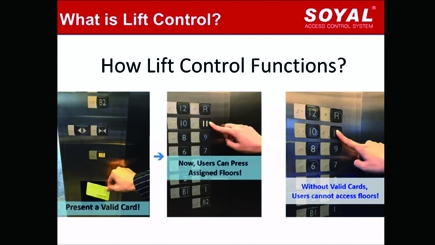
Lift access control system is a combination of I/O Modules and Access Controller that designed to permit the use of elevator to reach all or designated access floor only accessible by user with authorized access credential (RFID tags, fingerprint, face, or QR Code). Access Controller will assess the access credential presented by user and if the access is valid, it will send command to I/O Modules to activated elevator button for all or designated access floor.
How it works
.png)
Example: Lift Access Control System for User A in his office 10th floor and basement parking lot B1.
• Supported Model No. Chart
| Model No. | TCP I/O | RS485 I/O | ||||
| AR-727-CM-IO-0804M | AR-401-IO-0808R-U2 | AR-401-IO-0016R | AR-401-IO-1709R | AR-403-IO-0202M-IR | AR-403-IO-0404M | |
| Support this Application | — | — | ✔️ | — | — | — |
| Firmware | — | — | Standard Firmware (401RO16_V0208_211229.ISP) | — | — | — |
| Remark | • Interlocking with access credential please choose Access Controller selection from Home (H Series) and Enterprise (E Series) Controller. ►Model No. Selection
| |||||
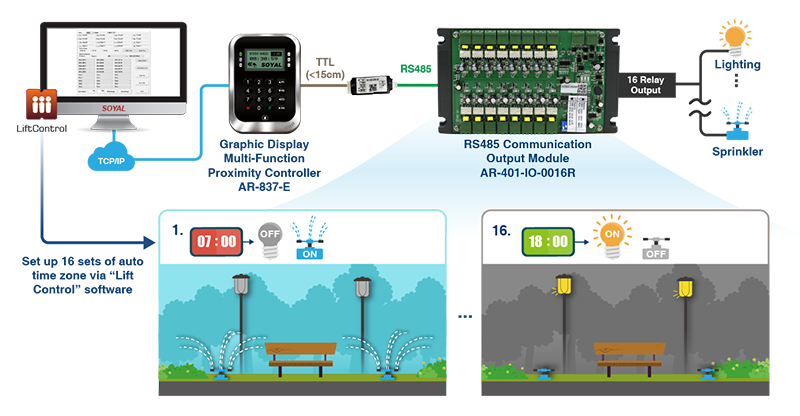
Auto Scheduled Control provides high efficiency while maintaining security procedure, environmental friendly and energy saving application by automatically turning devices on/off during specific time of the day. The application can be applied through combination of Access Controller and I/O module with the setting of Auto-Scheduled through SOYAL software Lift Control.
The application can be applied on Shared Building Management System in which below floors are offices sector and upper floors are living apartment that shared the same building. How it works is by setting lift free zone area during working hour at the day time and requirement to present access credential during night time.
On landscape area installed with lightning and sprinkler, it is more environmental friendly and save energy by applying automation control. Determining what time the sprinkler and lightning should be on and off every day.
Permission Tiers is defining user permission on enable or operating machine, allowing only authorized user operator to perform machine, ensuring safe operation of the machine and to prevent damage caused by operating errors. This application can be achieved through the combination of Access Controller to assess access credential and I/O Module to activate or enable machine operation.
The access credential can varies from RFID tags, PIN, face, or fingerprint recognition. Different access credential will authorized different access operation of the machine.
With access controller, data such as who operate the machine, when, where and what machine is operated can be collected in form of Event Log from access controller and transferred to a central computer that manage all of the facilities system. The data will be helpful for analyzing the performance of operator, machine itself, and to make decision on improving the usage of machine and hot to operate it in more efficient way to achieved high production efficiency.
Benefit
How it works
.png)
• Supported Model No. Chart
| Model No. | TCP I/O | RS485 I/O | ||||
| AR-727-CM-IO-0804M | AR-401-IO-0808R-U2 | AR-401-IO-0016R | AR-401-IO-1709R | AR-403-IO-0202M-IR | AR-403-IO-0404M | |
| Support this Application | — | — | — | ✔️ | — | — |
| Firmware | — | — | — | tandard Firmware (401RO16_V0208_211229.ISP) | — | — |
| Remark | Access Controller selection limited to Enterprise Series (E Series) | |||||
Reference:
► Enabling free access time zone for specific floors via Lift Control software
When access credential is presented, it will link to activate a designated devices or machine.
Example of the application can be divided into from the simplest public area such as parking lot to allow different credential to enable different machine, example entering PIN 1234 will open garage door, entering PIN 1111 will open barrier, etc.
• Supported Model No. Chart
| Model No. | TCP I/O | RS485 I/O | ||||
| AR-727-CM-IO-0804M | AR-401-IO-0808R-U2 | AR-401-IO-0016R | AR-401-IO-1709R | AR-403-IO-0202M-IR | AR-403-IO-0404M | |
| Support this Application | — | — | ✔️ | — | — | ✔️ |
| Firmware | — | — | Standard Firmware (401RO16_V0208_211229.ISP) | — | — | Standard Firmware (401_MBox_V0301_ |
| Remark | Access Controller selection limited to Enterprise Series (E Series) | |||||
Reference: ► Hotel Room Control – RFID Card Holder AR-888-W & I/O Series AR-401-IO-1709R
When access control system is commonly applied on building and housing complex public area such as gate, SOYAL provides extended function with the same access credential replacing the traditional key to open mailbox or locker.
There are three solutions that we provide based on customer requirement and needs.
| Difference | 14.1 Simple and Economical Mailbox Control Solution | 14.2 Smart Mailbox with Status Monitoring and Abnormal Event Notification | 14.3 Shared Storage by randomly choosing free locker | |
| Supported Qty | 1 Controller up to 256 mailboxes * | 1 Controller up to 64 mailboxes * | Unlimited, 1 controller for 1 mailboxes | |
| Access credential | PIN | ✔️ | ✔️ | — |
| RFID/NFC | ✔️ | ✔️ | ✔️ | |
| Status Monitoring | ❌ | ✔️ | ✔️ | |
| Remote Open | ✔️ | ✔️ | ✔️ | |
| Mailbox/Locker Type | Private | Private | Public (Shared) | |
| I/O Modules Selectio | AR-401-IO-0016R | AR-403-IO-0202M-IR | ❌ | |
| Access Controller Selection | AR-837-E/ER | AR-837-E/ER | AR-101-H | |
* For Solution 14.1 and 14.2 more than supported qty required additional unit of access controller.
4-14-1 — Simple and Economical Mailbox Control Solution
Each user has been assigned to their own mailboxes/lockers; data is saved and assessed by Multi-Functional Access Controller that could control up to 256 mailboxes/lockers per unit.
.png)
• Supported Model No. Chart
| Model No. | TCP I/O | RS485 I/O | ||||
| AR-727-CM-IO-0804M | AR-401-IO-0808R-U2 | AR-401-IO-0016R | AR-401-IO-1709R | AR-403-IO-0202M-IR | AR-403-IO-0404M | |
| Support this Application | — | — | ✔️ | — | — | — |
| Firmware | — | — | Standard Firmware (401RO16_V0208_211229.ISP) | — | — | — |
| Remark | Access Controller selection limited to AR-837-E/ER | |||||
Reference: ► Setting of Access Controller to support 256 Mailboxes
4-14-2 — Smart Mailbox with Status Monitoring and Abnormal Event Notification
Combination of SOYAL Access Controller for access credential that control up to 64 mailbox in which each mailbox is installed with I/O Module that will transfer the status to software such as door close, door open, indicator of letters inside, and alarming event.
All of the status can be monitored through 701ClientSQL Graphic Animation Control.
At the same time user could also get letter arrival notification sent through their email inbox.
.png)
• Supported Model No. Chart
| Model No. | TCP I/O | RS485 I/O | ||||
| AR-727-CM-IO-0804M | AR-401-IO-0808R-U2 | AR-401-IO-0016R | AR-401-IO-1709R | AR-403-IO-0202M-IR | AR-403-IO-0404M | |
| Support this Application | — | — | — | — | ✔️ | — |
| Firmware | — | — | — | — | Standard Firmware * (401_MBox_V0301_210804.ISP) | — |
| Firmware | Access Controller selection limited to AR-837-E/ER | |||||
Reference:
► 701ClientSQL Setting (refer to 4-2-177)
► SOYAL Graphic Animation Case Sharing – Smart Mailbox
4-14-3 — Shared Storage by randomly choosing free locker
Through SOYAL mini controller AR-101-H that is recommended for application in temporary lockers; visitors can swipe a proximity card/keyfob and even use NFC-enabled Mobile phone to replace traditional keys to open the vacant locker; when connecting to computer, the records of the use time and counter number for the administrator to check.
Product: ►AR-101-H ( Firmware: 101HD_7V3 200814 FIRST_CARD_LOCKER LEDG_NOFLASH.ISP )
SOYAL Universal I/O Module AR-403-IO-0404M built-in single input (DI0) trigger multi output (DO0, DO1, DO2, DO3) that varies based on your requirement. DO0 output type is Interval Operation, Falling Edge Mode. Meanwhile DO1 output type is Trigger-at-Release Timer, Rising Edge Mode, DO2 output type is Toggle Mode, and finally DO3 output type is Undistorted Output Delay.
• Supported Model No. Chart
| Model No. | TCP I/O | RS485 I/O | ||||
| AR-727-CM-IO-0804M | AR-401-IO-0808R-U2 | AR-401-IO-0016R | AR-401-IO-1709R | AR-403-IO-0202M-IR | AR-403-IO-0404M | |
| Support this Application | — | — | — | — | ✔️ | ✔️ |
| Firmware | — | — | — | — | Standard Firmware* (401_MBox_V0301_210804.ISP) | Standard Firmware* (401_MBox_V0301_210804.ISP) |
| Remark | * Please select Delay M-0 setting for AR-403-IO-0404M via Commview | |||||
4-16-1 — Interval Operation, Falling Edge Mode
.png)
4-16-2 — Trigger-at-Release Timer, Rising Edge Mode
.png)
4-16-3 — Toggle Mode
.png)
4-16-4 — Undistorted Output Delay
.png)
Integrated with IR or induction coil, I/O module AR-403-IO-0404M built-in programmed feature of RF/FF falling (front vehicles recognition) and RF/FF rising (rear vehicles recognition) to determine accuracy of when the barrier will be open/close by detecting the vehicles position or to give siren output or LED for other driver to be aware of another vehicles that could minimize accident.
Why You Need Direction Recognition AR-403-IO-0404M?
- Cost effective, one unit support two set of recognition (DI0-DI1 & DI2-DI3)
- Multi-function, can be set into front recognition or rear recognition anytime just by changing the setting
.png)
• Supported Model No. Chart
| Model No. | TCP I/O | RS485 I/O | ||||
| AR-727-CM-IO-0804M | AR-401-IO-0808R-U2 | AR-401-IO-0016R | AR-401-IO-1709R | AR-403-IO-0202M-IR | AR-403-IO-0404M | |
| Support this Application | — | — | — | — | — | ✔️ |
| Firmware | — | — | — | — | — | Standard Firmware * (401_MBox_V0301_210804.ISP) |
| Remark | * Please select FF/RF falling for Front Detection and FF/RF rising for Rear Detection setting via Commview | |||||
| Type | TCP I/O | RS485 I/O | ||||||
| Protocol | Ethernet (Modbus TCP) | RS485 (Modbus RTU) | ||||||
| Series | 727 SERIES | 401 SERIES | 403 Series | |||||
| Model no. | AR-727-CM-IO -0804M | AR-401-IO -0808R-U2 | AR-401-IO -0016R | AR-401-IO -1709R | AR-403-IO -0202M-IR | AR-403-IO -0404M | ||
| Serial | Channel 1:
| Channel 1: Channel 2: | — | — | — | — | ||
| DI | Channel | 8 | 8 | — | 17 | 2 | 4 | |
| Sink/Source | Sink | Sink/Source by Jumper | — | Sink/Source by Jumper | Sink | Sink | ||
| DO | Channel | 3 | — | — | — | 2 | 4 | |
| Type | MosFET | — | — | — | MosFET | MosFET | ||
| Relay | Channel | 1 | 8 | 16 | 9 | — | — | |
| Type | Form C Relay | Form C Relay | Form C Relay | Form C Relay | — | — | ||
| Max. Load Current | 1A @30VDC | 5A @250VAC | 1A @30VDC | 3A @125 VAC | — | — | ||
| Infrared | — | — | — | — | YES | — | ||
| PoE Option | — | YES | — | — | — | — | ||
| Protection | Input | — | 5kV | — | 5kV | — | — | |
| RS485 PTC & Surge* | YES | YES | YES | YES | YES | YES | ||
| Power PTC & Surge* | YES | YES | YES | YES | YES | YES | ||
*Surge Suppression: 400W peak power dissipation. Clamping time < 1 picosecond (theoretical), bi-directional avalanche breakdown device.
Each of I/O Series has distinguished specification and suitable application.
Below is some of the application to date and the supported model no. and compatible firmware to achieved the application is listed on the table.
| File Name | Version | Updated Date | Download | ||
|---|---|---|---|---|---|
| Catalogues | |||||
 Full Catalogue | v230808 | 2023-08-08 | Download | ||
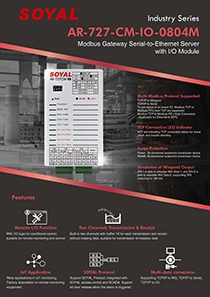 Serial-to Ethernet Server with I/O Module Catalogue | V200814 | 2021-07-30 | Download | ||
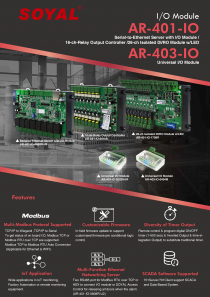 I/O Module Series Catalogue | V220620 | 2022-06-20 | Download | ||
| Manual | |||||
 Software Manual - AR-727-CM HTTP Server | V231122 | 2023-11-22 | Download | ||
| Cross-System Integration | |||||
 Smart Access Control / Industrial Control and Cross-Platform Application | V240327 | 2024-03-27 | Download | ||
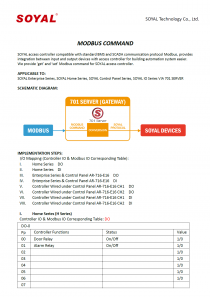 INTEGRATION SOLUTIONS-Modbus | V210416 | 2021-04-16 | Download | ||
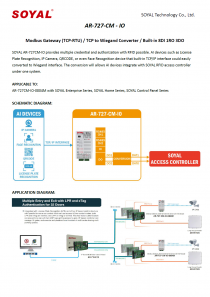 INTEGRATION SOLUTIONS-TCP IP to WIEGAND | V220216 | 2022-02-16 | Download | ||
{ Introduction of 4 methods to configure the access control system to release all door locks in fire alarm event }
.png)